
Mora by Abmora · now in beta
Turn the work in your inbox into organized business operations.
Mora reads the client communication already flowing through Gmail, then turns it into tasks, client records, deadlines, follow-ups, and replies you review before anything is sent.
Works with Gmail Nothing sends without your approval

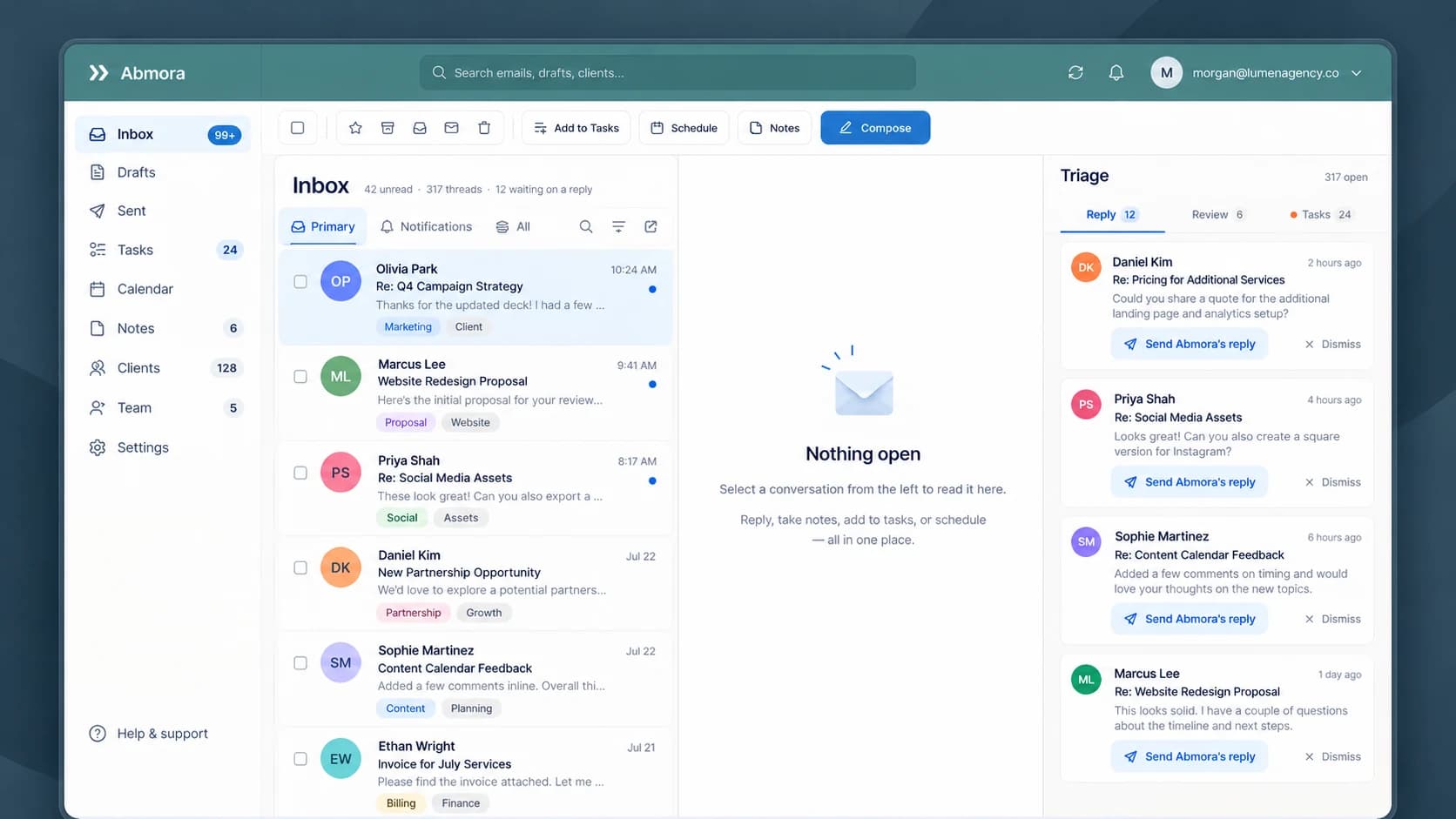
- Works with the Gmail you already use
- Nothing sends without your approval
- Every suggestion links to its email
- Built in Colorado Springs

“Could you send the revised proposal by Friday?”
The problem
One request, scattered across four tools.
A client sends one message. Answering it well means the details end up in four different places, and you are the one moving them by hand. Anything you forget to copy is the thing that slips.
Email
holds the request
Spreadsheet
holds the client
Task manager
holds the next step
Calendar
holds the deadline
With Mora
The same request, kept as one linked record.
Your email already runs through Mora, so the task, the client, and the deadline stay connected to the message they came from.
- RequestRevised proposal
- ClientNorthwind Studio
- Next stepSend by Friday
- DeadlineKickoff call, Thursday
How it works
From one client email to work you can act on.
Three steps, and most of the work is already done by the time you look.
Step 1 · Connect Gmail
A client sends an email.
Connect the Gmail inbox you already run your business from. Mora syncs live, so a new message is read and summarized the moment it arrives. You keep using Gmail as you do today.

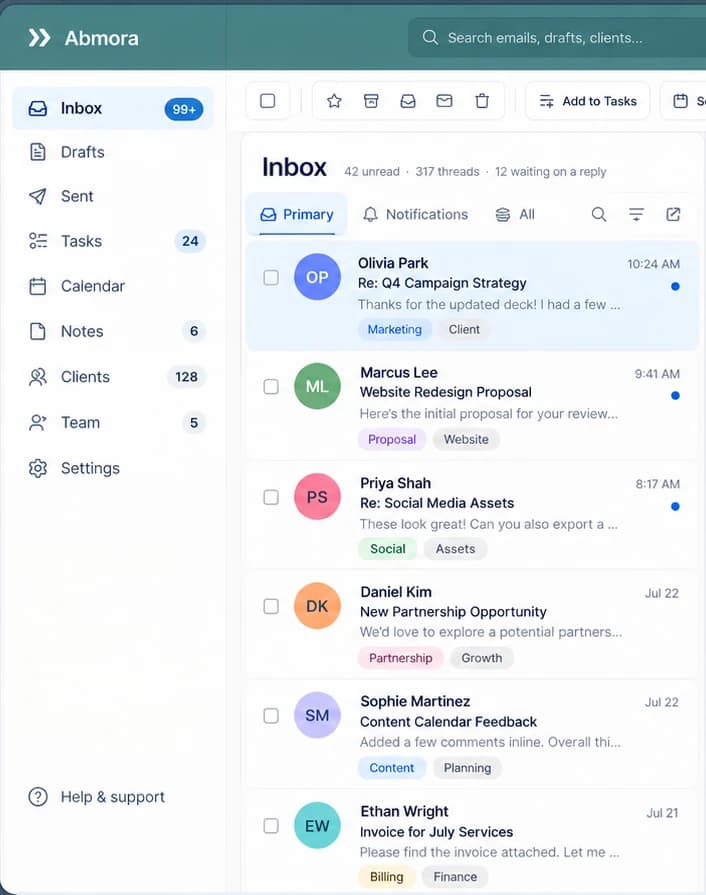
Step 2 · Mora organizes it
Mora pulls out the work inside it.
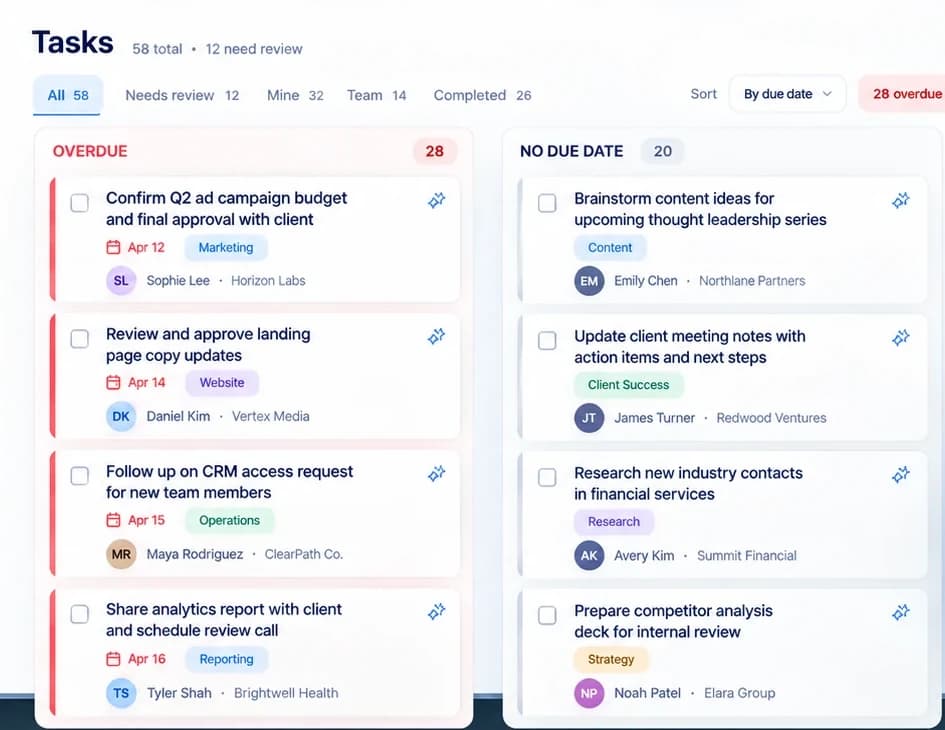
The request becomes a task with its due date, tagged and tied to the client it belongs to. A Needs review view collects what still needs your eyes, and every task stays linked to the email it came from.
Step 3 · You decide
You stay in control.
Everything Mora proposes waits for you. Keep a task, adjust a date, edit the draft, or dismiss it. Nothing leaves your account until you approve it.
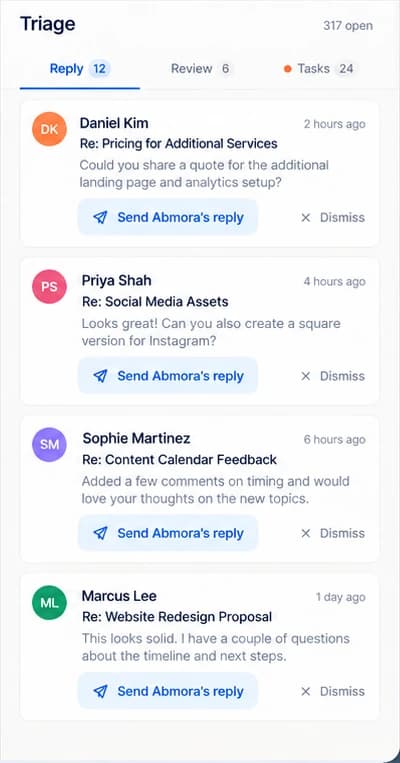
Send it
The draft goes out from your own Gmail.
Edit it first
Change anything before it leaves.
Dismiss it
Nothing is sent. Nothing changes.
What Mora does
Everything your email has been trying to tell you.
Each capability reads your real email and proposes. You stay the one who decides.
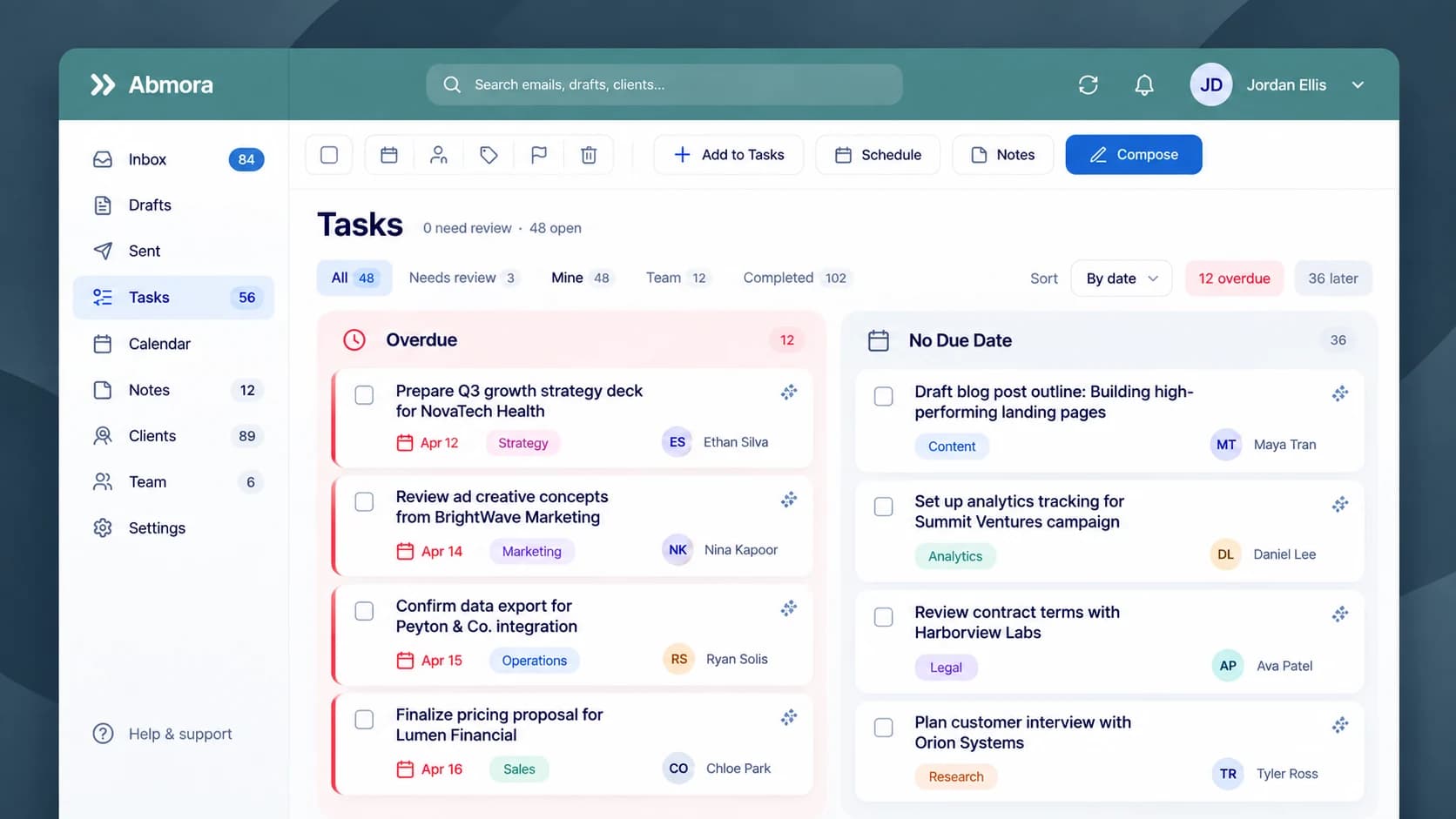
Tasks and deadlines, pulled straight from email.
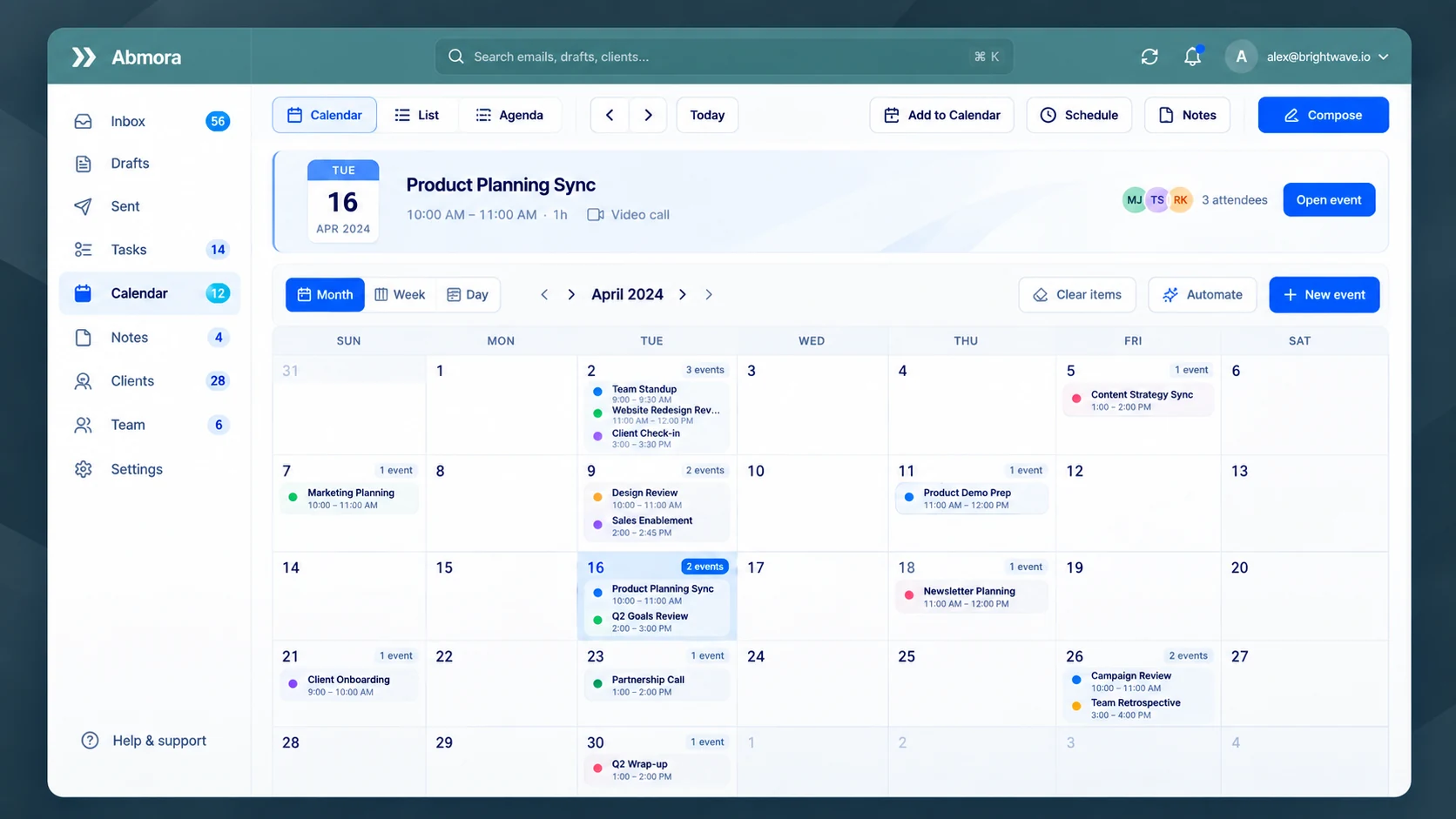
Requests become tasks with a due date and priority, each linked to the message and the client it came from. Dates land on the calendar, and overdue work sits at the top where you cannot miss it.
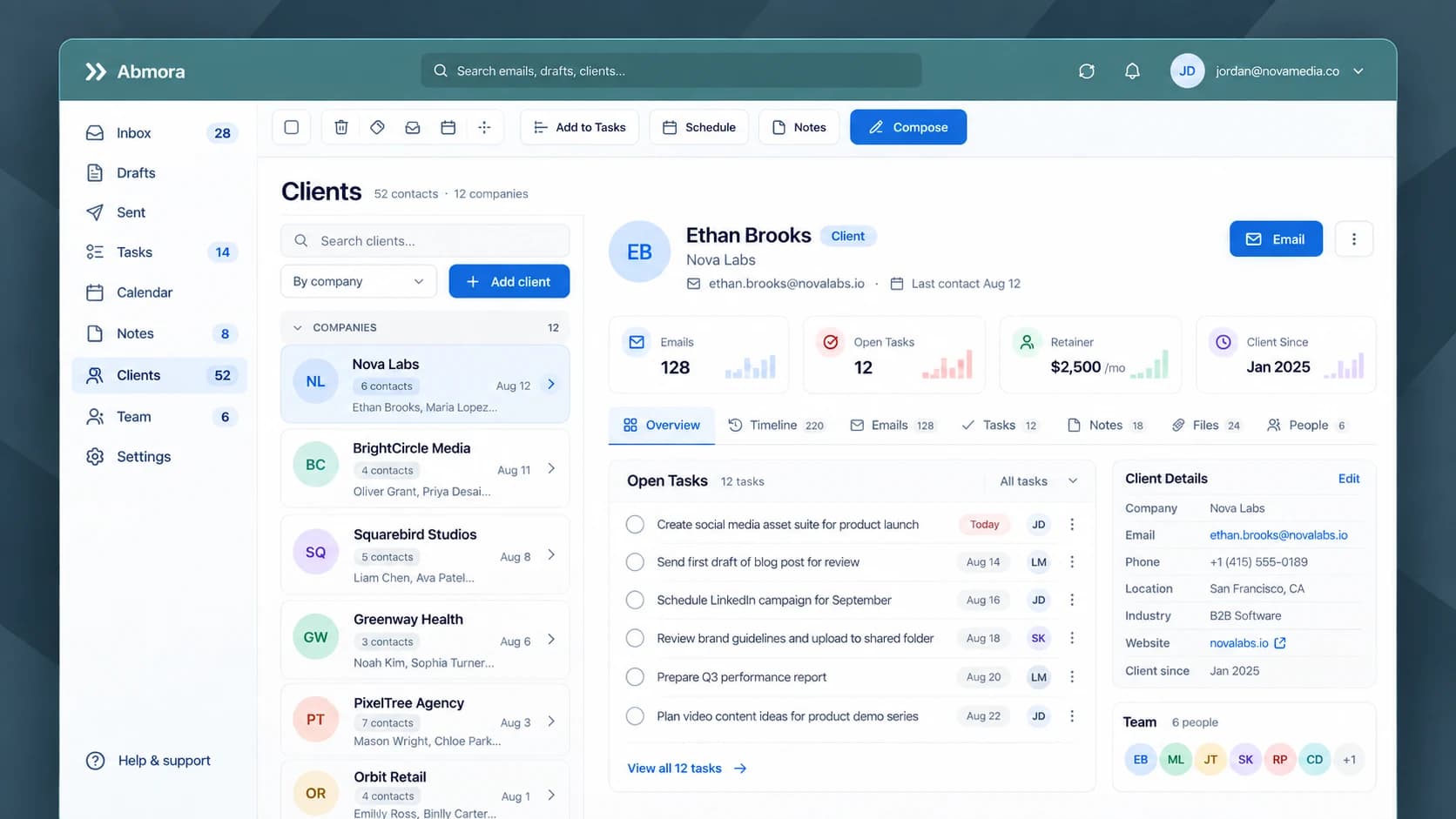
A client record that keeps itself up to date.
Every client gets a record built from the mail itself: the emails, the open tasks, the people on the account, and when you last spoke. Open one and the whole relationship is on a single page.
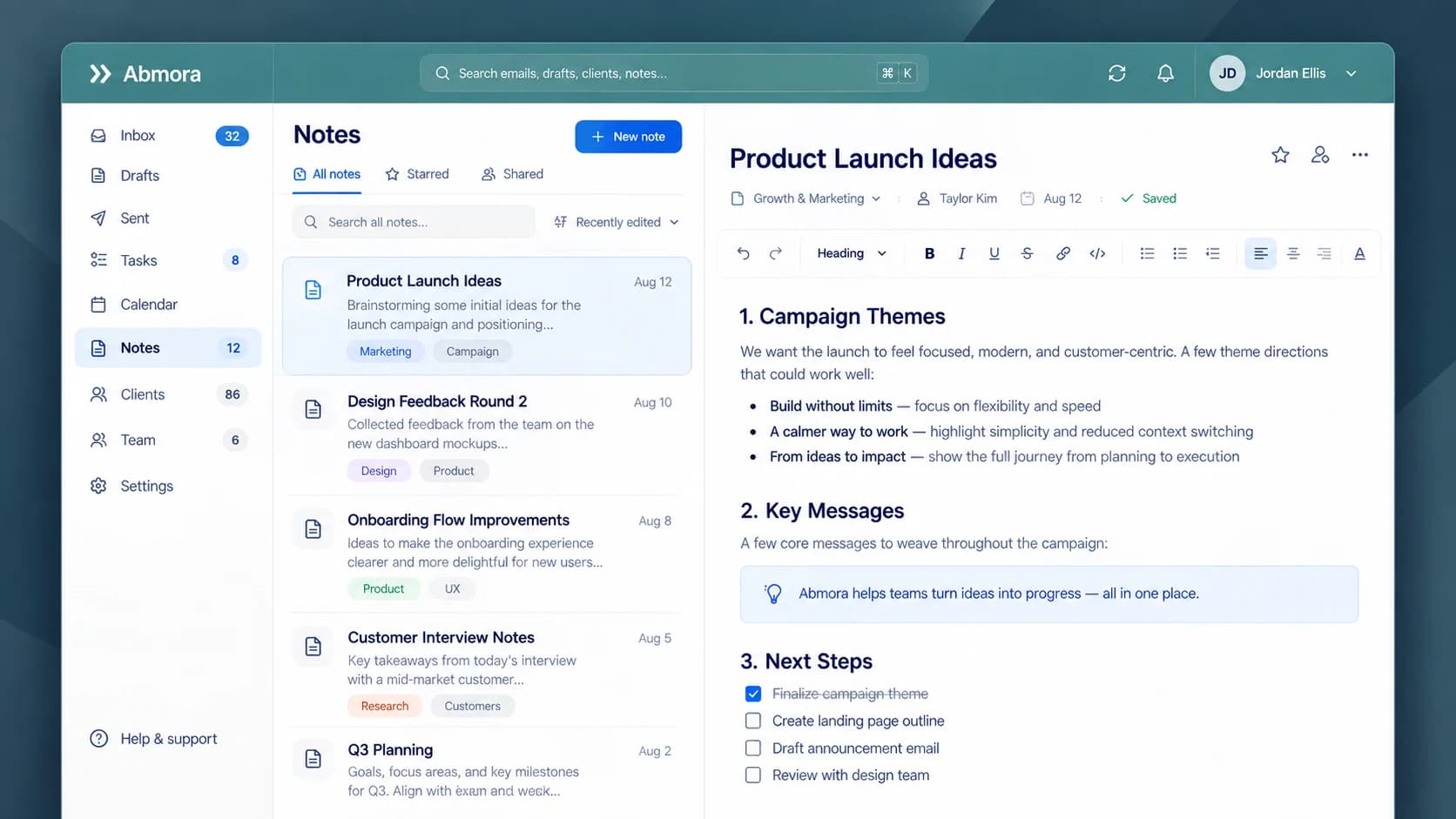
Notes and your team, in the same place.
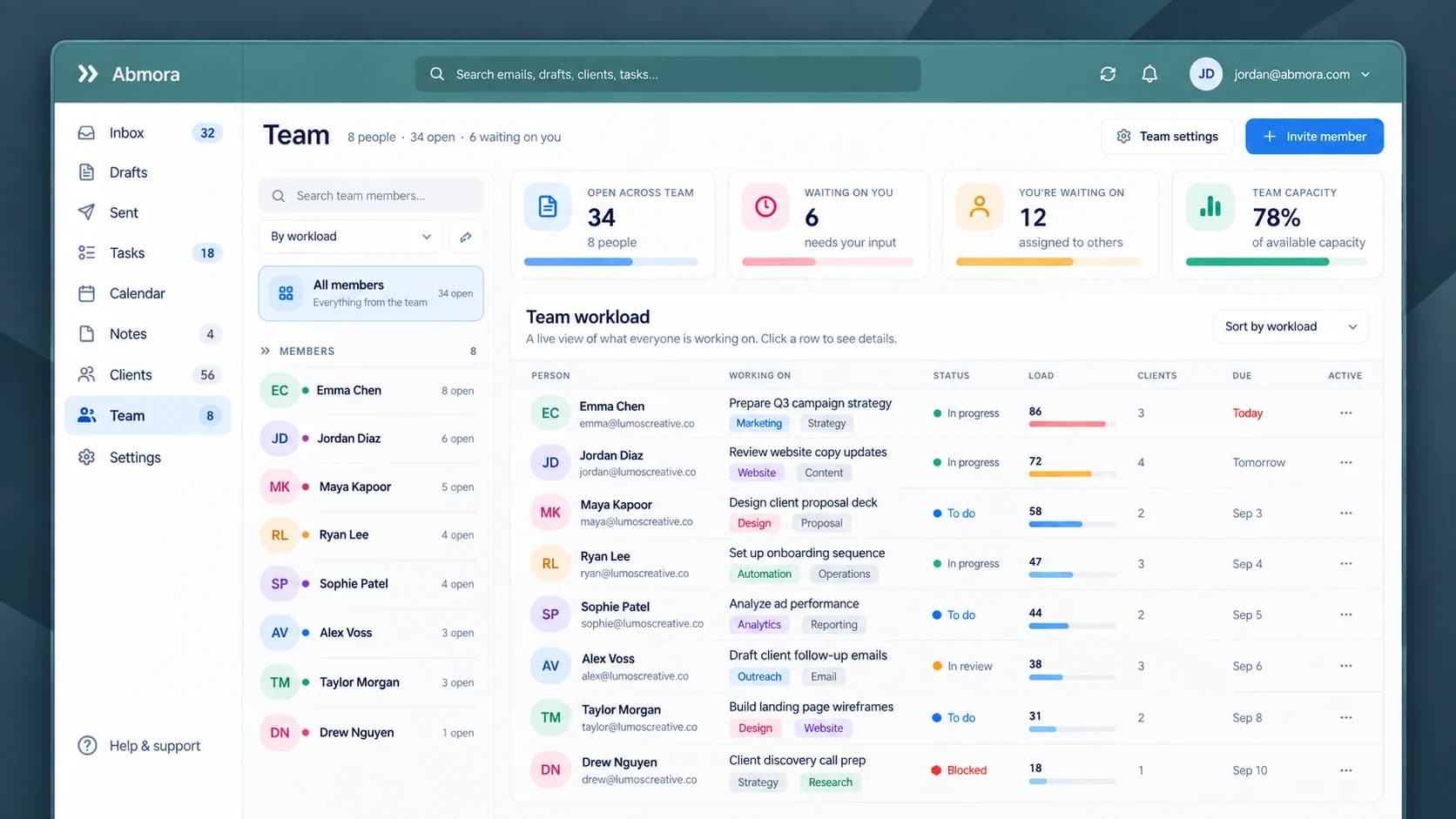
Keep notes beside the work they belong to, with checklists and tags. The team view shows what each person is working on and what is waiting on you.
Control and trust
A careful assistant, not an autopilot.
Mora touches your real client email, so it is built to propose rather than act. You stay in control of everything that leaves your account.
Your data is separated per user at the database level and Gmail access tokens are encrypted. Read how Mora protects your business data.
Nothing sends without you
Every reply, nudge, and outbound action waits for your approval. Mora drafts. You send.
It proposes, you decide
Suggested tasks, calendar items, and notes are proposals. Accept, edit, or remove any of them.
Always traceable
Every item links back to the email it came from, so you can see why Mora suggested it.
Grounded in your data
Answers are built from your actual email, tasks, and records, not invented. Anything Mora adds is marked.
Who it is for
For businesses that run through their inbox.
If your clients reach you by email and the work lives in those threads, Mora fits the way you already operate.
- ConsultantsKeep every engagement's requests and deadlines out of a messy inbox.
- Marketing agenciesTurn a shared account inbox into tracked work per client.
- Professional servicesA client record and a next step for every relationship, without the data entry.
- Service businessesCatch the requests and dates that arrive by email before they slip.
- Solo operatorsRun the whole operation from one inbox without four disconnected apps.
- Client-service teamsRoute the right mail to the right person and share the work you can see.
Colorado Springs, Colorado
Built in Colorado Springs, for businesses that run on email
Abmora is based in Colorado Springs. If you run a service business, agency, or practice here, we would like to hear how your work moves through your inbox.
Questions
Questions people ask before they connect an inbox
What is Mora?
Is Mora just an email app?
Does Mora replace Gmail?
Is Mora available now?
Can Mora send emails automatically?
How does Mora create tasks from email?
How does the automatic CRM work?
Does Mora write in my voice?
Does Mora support Outlook?
Is Mora a mobile app?
Can Mora work for a team?
Is Mora only for Colorado Springs businesses?
How is my business data protected?
Can the AI make things up about my business?
Less inbox.
More in control.
Connect Gmail, give Mora a few minutes with your recent mail, then open Clients and Tasks. Request access and we’ll set you up.
Nothing sends without your approval.